
Too many devices when connecting to Outlook.com
I’ve been trying to configure my Hotmail account (which is now Outlook.com) in Outlook 2013 via EAS but I get the following error:
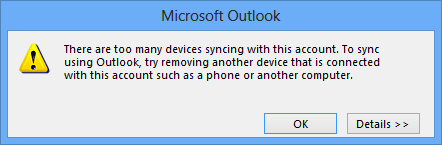
There are too many devices syncing with this account. To sync using Outlook, try removing another device that is connected with this account such as a phone or another computer.
Followed with:
Line: 97
HTTP/1.1 200 OK
FolderStatus: 177
To re-try press F9...
Error Code: 0x80004005
I’m only using my account on my mobile phone and Outlook 2013 on my laptop and desktop. I can’t find a method to remove any old computers which I might still have.
How can I fix this issue and sync my Hotmail account with Outlook again?
The limitation error usually pops up when you have multiple devices (applications) and a large amount of folders in your Outlook.com account.
Update 1: A permanent solution for this issue is now available by installing update KB2727079 which was released in March 2013 (and which is also included in later updates). Also see: There are too many devices syncing with this account error in Outlook 2013
Update 2: Sadly, this issue has popped up again for some accounts. Unfortunately, rolling out a fix for this issue probably won’t happen before beginning Q2 2014 due to the preparations for the release of Service Pack 1 for Office 2013.
For now, contact Microsoft support by phone and they will be able to help you cleaning up the sync list (obviously, no support charges will apply). There is also a form you can fill out linked in KB2802703 but calling is more direct.
This issue is also actively being monitored on the Outlook.com servers and most affected accounts will be reset automatically. Therefor, trying to set up your account again after 1 or 2 days often will work as well.
This error will fix itself overnight and will be fixed permanently soon!
Devices or applications
 Other than the error would suggest, each application that you use to connect to Hotmail or Outlook.com via Exchange Active Sync (EAS) already counts as a "device".
If you use Windows 8 and logon with the same Hotmail or Outlook.com account, then it will also automatically configure the Mail app with your Outlook.com account. When you use Windows 8 on desktop and laptop, this will add another 2 “devices” making your total count 5 rather than 3.
Limits are being increased
The sync limits are being (or have been already) increased by Microsoft to account for most users and will be evaluated on an ongoing basis for now.
Especially now that the EAS protocol is being used on desktops, laptops and tablets as well, you’ll tend to sync more data (folders) and more often as well which causes this error to appear.
Remove old sync partnerships
 Removing old partnerships yourself as mentioned in the error is not possible in the current implementation of the Outlook.com website.
To have your account checked out and old partnerships removed, you’ll have to post in the Windows Live / Hotmail / Outlook.com forum.
The exact thread dealing with this issue is:
Outlook 2013 error “Too many devices syncing with this account”
Reduce the amount of folders in your mailbox
Other than that, you could try decreasing the amount of folders that you have in your Outlook.com account or disable the sync for some folders you don’t regularly use.
While this is sound advice for devices that you use to quickly check, read and reply to some emails, it is not possible to set this in Outlook 2013, so don’t bother looking for an option to control that ;).
