
Outlook crash when printing
Whenever I try to print something from Outlook, it either hangs or crashes.
I can print just fine from other applications, I updated the printer driver and when trying to print to another printer I get the same results.
How can I get printing from Outlook to work again?
 Outlook keeps its printing style settings in a file called OutlPrnt. You can run into several issues like these hangs and crashes when the file gets corrupted.
On multiple occasions I’ve also seen messages being printed in right-to-left format instead of left-to-right due to OutlPrnt corruptions.
You can recover from this by renaming the OutlPrnt file to .old when Outlook is closed. You can find the file here;
Windows Vista, Windows 7, Windows 8 and Windows 10C:\Users\%username%\AppData\Roaming\Microsoft\Outlook\
Windows XP C:\Documents and Settings\%username%\Application Data\Microsoft\Outlook\
Note: To find out more about where Outlook keeps its files and settings, see; Files and Settings guide for Outlook.
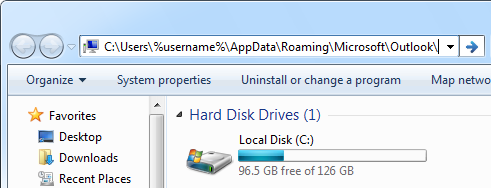
The OutlPrnt-file is located in a hidden folder but can be accessed easily by pasting the path above in the Address Bar of Explorer.
