
Modify the language of the default mailbox folders
The folders of Outlook (Inbox, Calendar, Contacts, etc...) are in English but I'm using a Dutch version of Outlook. I cannot rename these folders like I can with my other folders (the Rename option is grayed out).
How can I match the name of the folders to the language of Outlook?
 By default, the names of the default folders will match the language of Outlook.
However, if you have been using a different language of Outlook before when these folders were created, you’ll have to reset the folders to match the language of Outlook again by starting Outlook with the /resetfoldernames switch.
Windows 10
Start-> type; outlook.exe /resetfoldernames
(you can also type this directly in the Search box in the Taskbar)
Windows 8
Start Screen-> type; outlook.exe /resetfoldernames
As soon as you start typing, a search box will automatically appear.
Windows 7
Start-> type; outlook.exe /resetfoldernames
Note the space in the commands listed above.
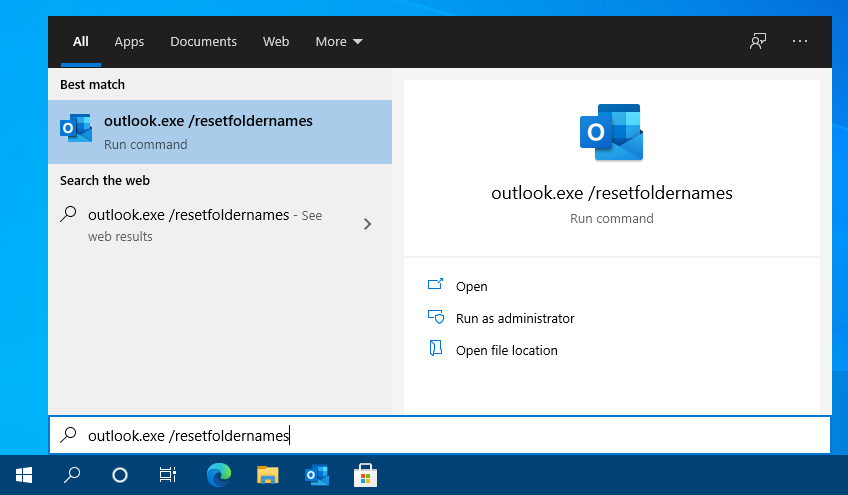
Start Outlook with the /resetfoldernames switch to have the folders match the language of Outlook.
Note: To freely rename the names of the folders independent from your Outlook or mailbox language see; Rename the default folders
